Hi!
I’ve just uploaded a new mural…
…and noticed that the new thumbnail shape doesn’t match up with the positioning of the cropping tool. This is how I positioned the thumbnail:
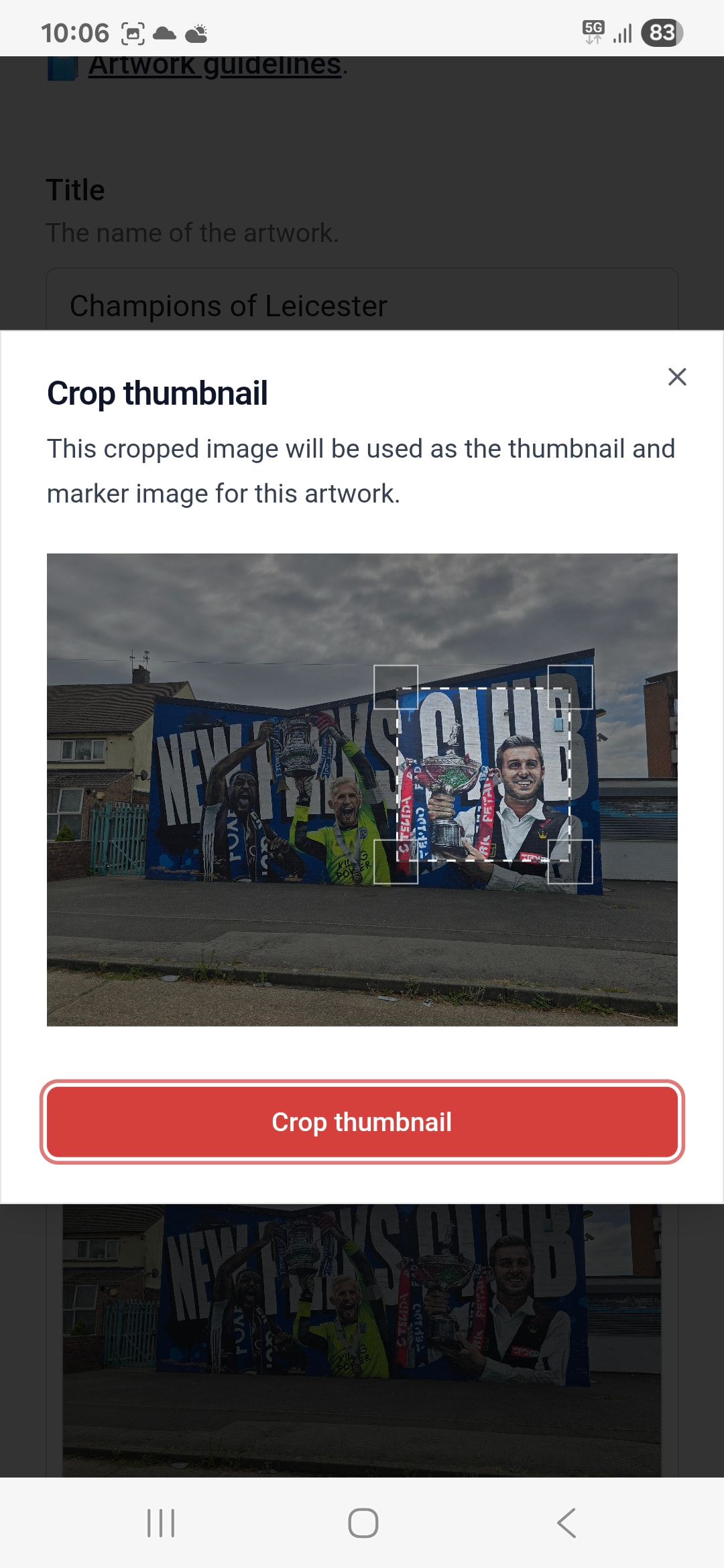
And this is how it appears on the SAC map:
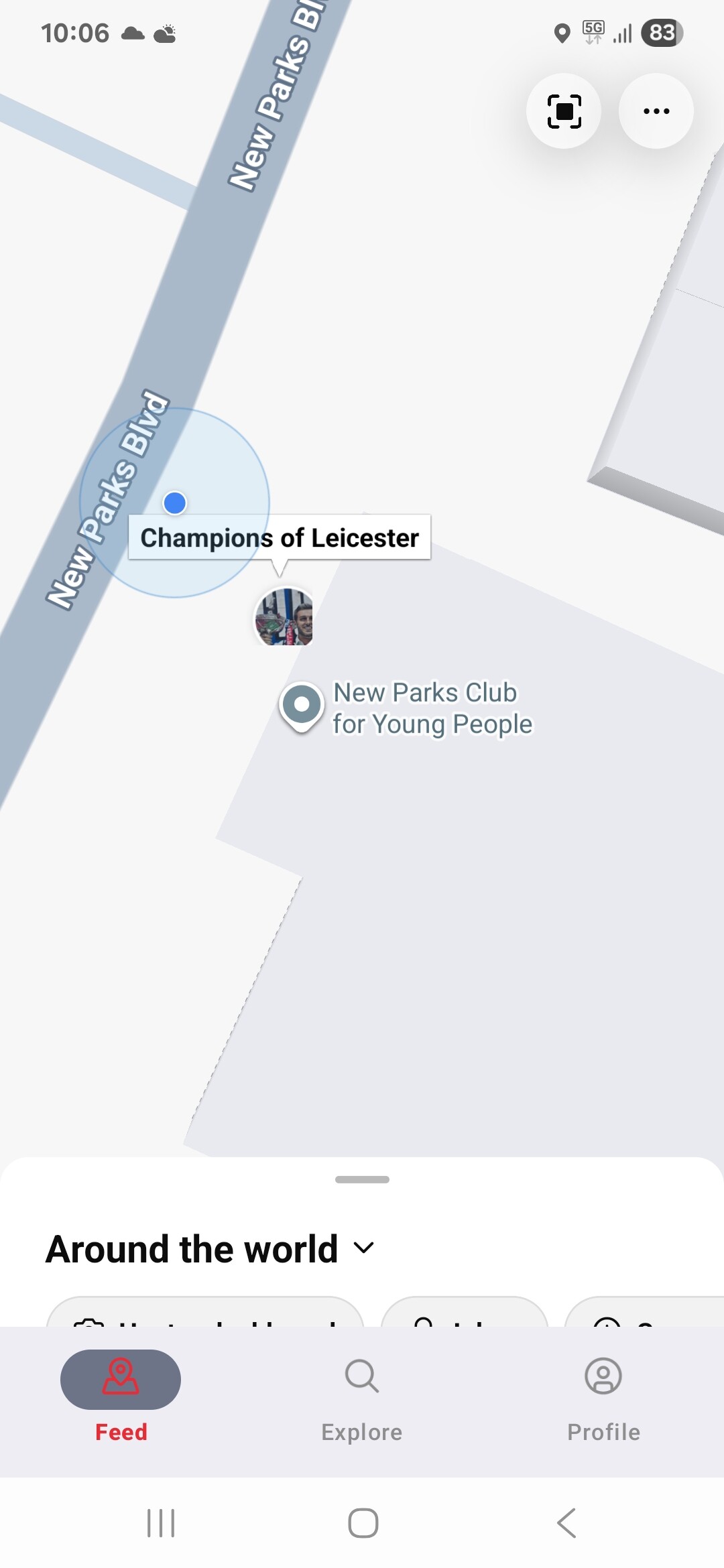
You’ll notice that the face is not fully shown.
I think that what’s happened is that the cropping tool is basically a circumbscribed square around the original thumbnail circle. But as the circle has now itself been cropped bottom and side, the thumbnail is smaller than what was set.
Is there anything that can be done? In an ideal world, the thumbnail tool would match exactly the thumbnail shape, but i appreciate that won’t be easy.