I have noticed a strange “page break” behaviour when using the search function for tags.
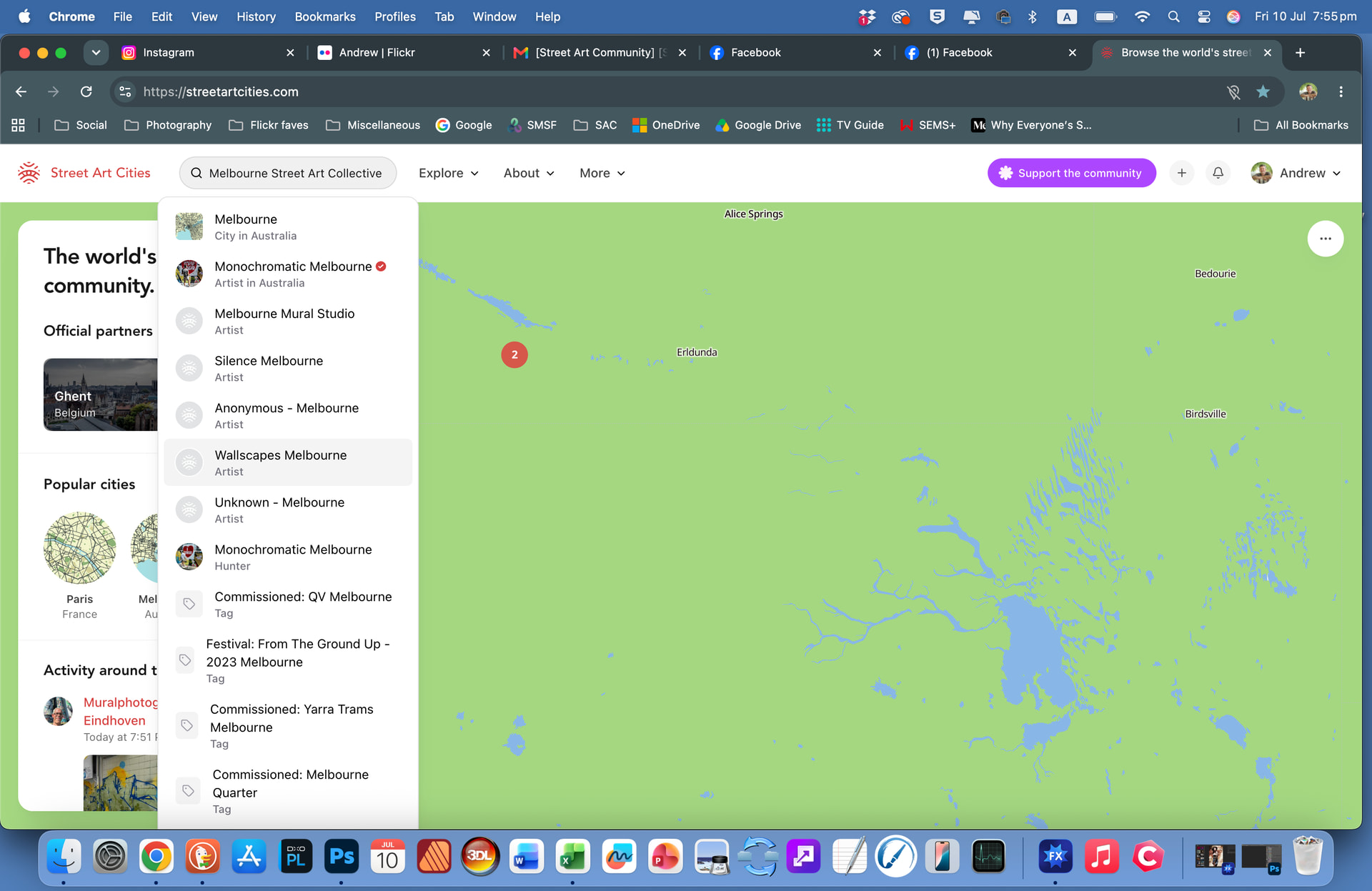
This can be seen if you do a search for “Melbourne Street Art Collective” which we have been using the Organization tag for.
The first page of the result screen for this search shows a number of active artworks followed by some archived ones as you would expect, but then when you move to the second page there are 15 more active artworks then more archived ones.
I would have expected all of the Active ones to have been on the first page, followed by the Archived ones, rather than seeing both Active and Archived artworks on both pages.
Thomas
I just tried to test your fix and strangely searching for “Melbourne Street Art Collective” on the Search bar on the website now shows no results (see attached screenshot).
Andrew
The Organization tag is showing up in Search results again but the original issue of the strange page break hasn’t been fixed, still looks the same as originally reported.
Working better, but the sequence within the Artworks / Archived sections seems to have changed to Oldest-to-Newest, it was Newest-to-Oldest before I think which is probably better (to have the newer ones at the front)?