Connect artworks. Tell the story of your walls. Bring your city’s street art history to life.
We’ve introduced a new way to show how artworks evolve over time, and how walls themselves change hands, layers, and meanings. With the new TIMELINE feature, you can now link artworks and build a …. timeline**.**
This feature helps you build a narrative around a wall or an artwork, making it easier for visitors to explore the history of your city’s street art scene. Read our blog for more info.
Why this feature exists
This update comes straight from community feedback. Many of you asked for a way to:
-
Show what used to be on a wall before a new piece arrived
-
Build timelines for places and murals
-
Make the evolution of a wall visible to visitors
This is an important step toward richer storytelling, and we’ll keep improving the visual timeline as more cities start using it.
How to add a TIMELINE?
1. Open the artworks tab in the dashboard
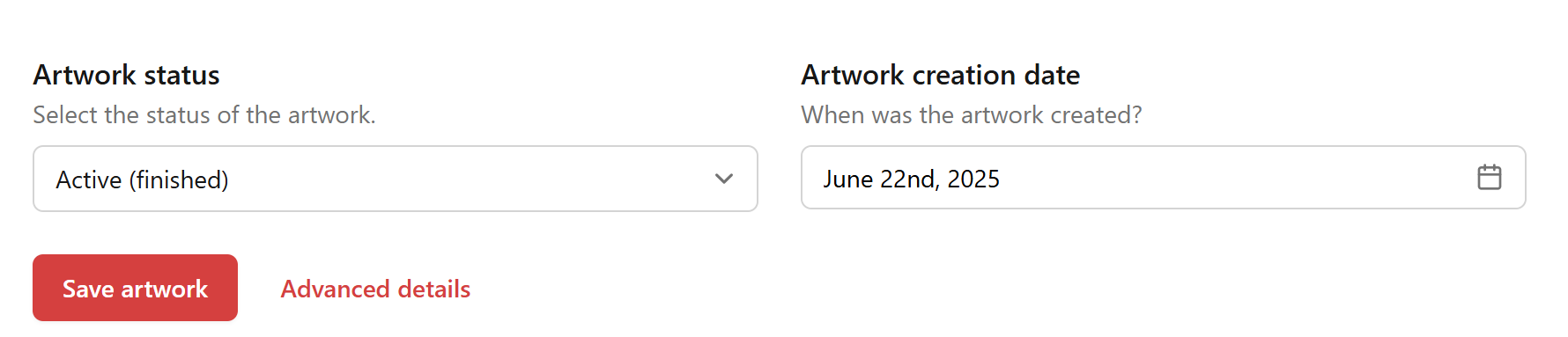
Scroll down and click on advanced details next to the ‘SAVE ARTWORK’ button.
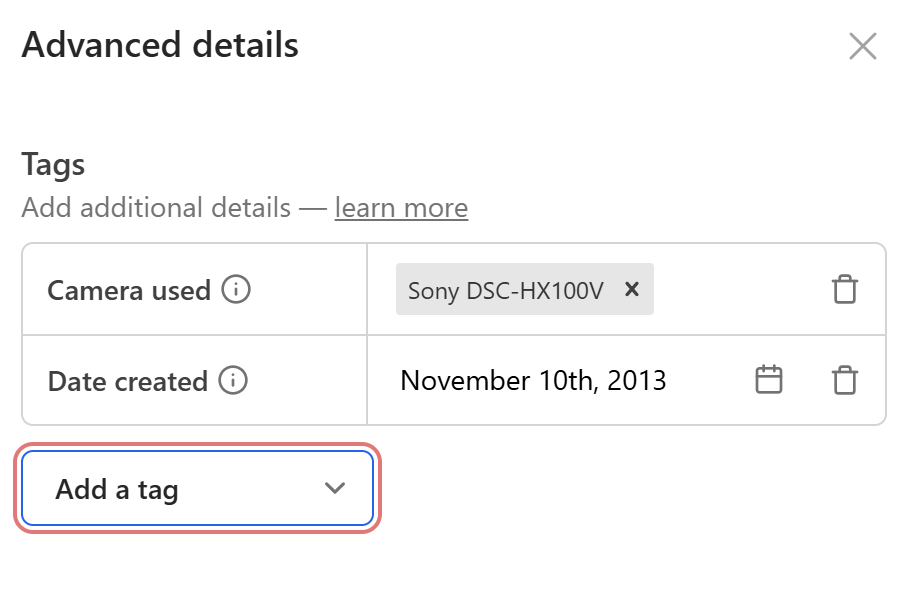
2. Scroll through the ‘Tags’ section
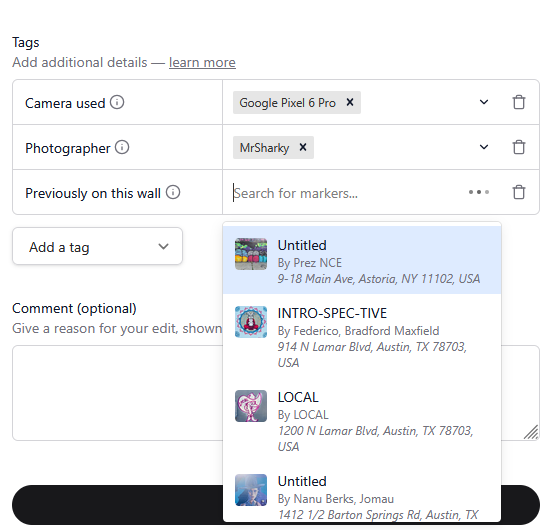
Look for ‘Previously on this wall’
3. Start typing to search
The tag editor will automatically show some of the recent edited artworks, but you can search on artist or title to find the right one.
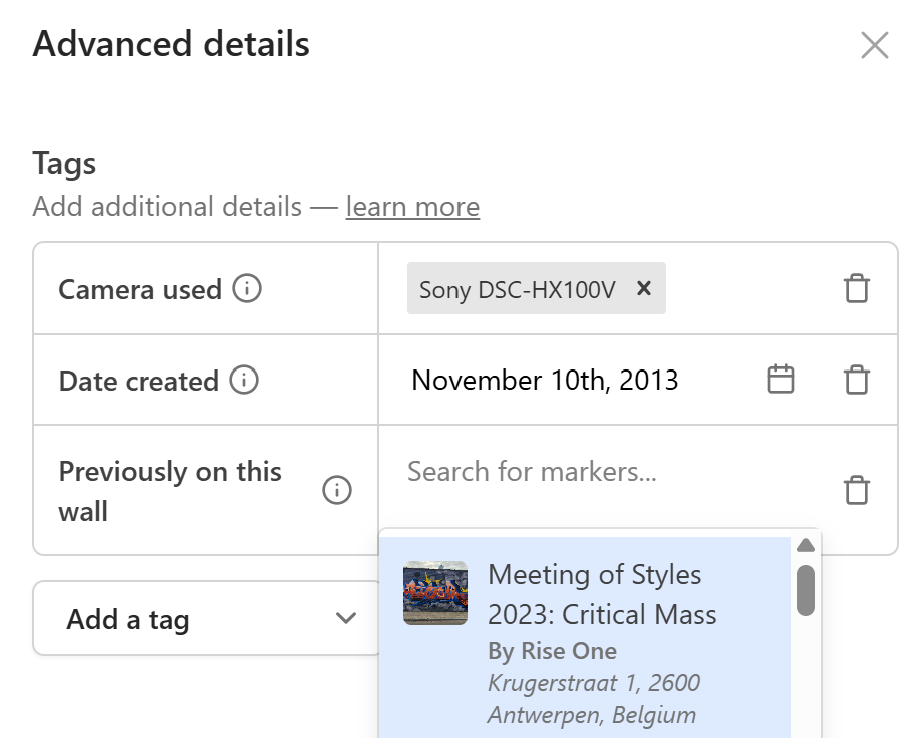
This makes it easy to find the right pieces without scrolling through long lists.
4. Select the artwork you want to link
Choose the artwork that represented the earlier version of the same wall.
5. Save your changes
Once saved, the connection is live, and visitors will start seeing the story unfold.
How the system follows links
Right now, you just need to link the previous wall, if this is a fast paced rotation projects like many ‘le M.U.R.’ projects, then start building the chain by always adding the previous wall in each of them. The system will be able to display the entire history of that wall or story
So even a single connection will be enough to reveal the full timeline.
What users will see
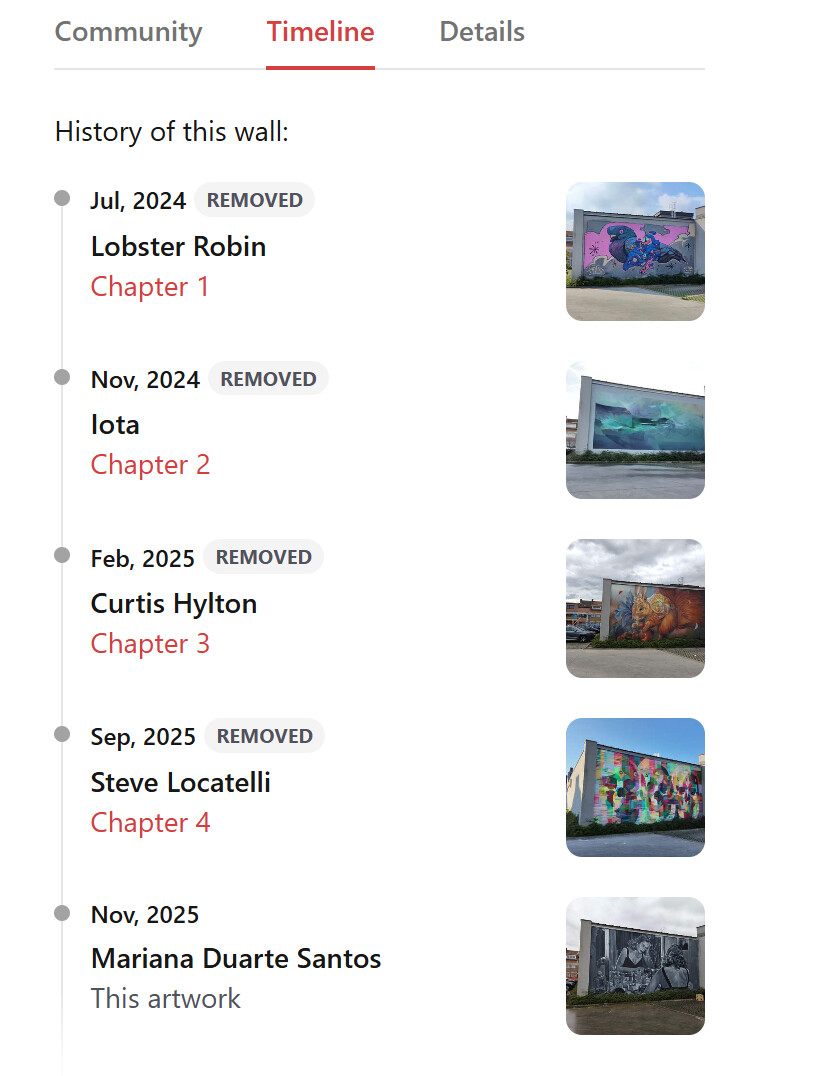
Linked artworks already appear on artwork pages. As more cities start using these tags, we’ll improve how timelines are displayed visually so visitors can follow the evolution of a wall more intuitively. The TIMELINE tab will only be active if there’s actually some history behind it, below is an example of ‘le MUR d’Anvers’ project:
We want your feedback
This is just the beginning. If you have ideas on:
-
How the timeline should look
-
a cool visualisation idea on how to scroll through time
-
How the editing experience could be smoother
-
What other connections you’d like to make
…drop your thoughts in this thread. Your input directly shapes how Street Art Cities grows.
Let’s keep telling the stories behind the walls, together.