We’ve rolled out a set of improvements to the artist dashboard on Street Art Cities, along with new contact‑preference options that give verified artists more control over how they’re discovered and contacted.
 Preferences now on a seperate tab:
To make things easier to find and manage your contact preferences, your Preferences now live on two distinct pages.
This small structural change should make updating your info and adjusting your visibility settings much smoother.
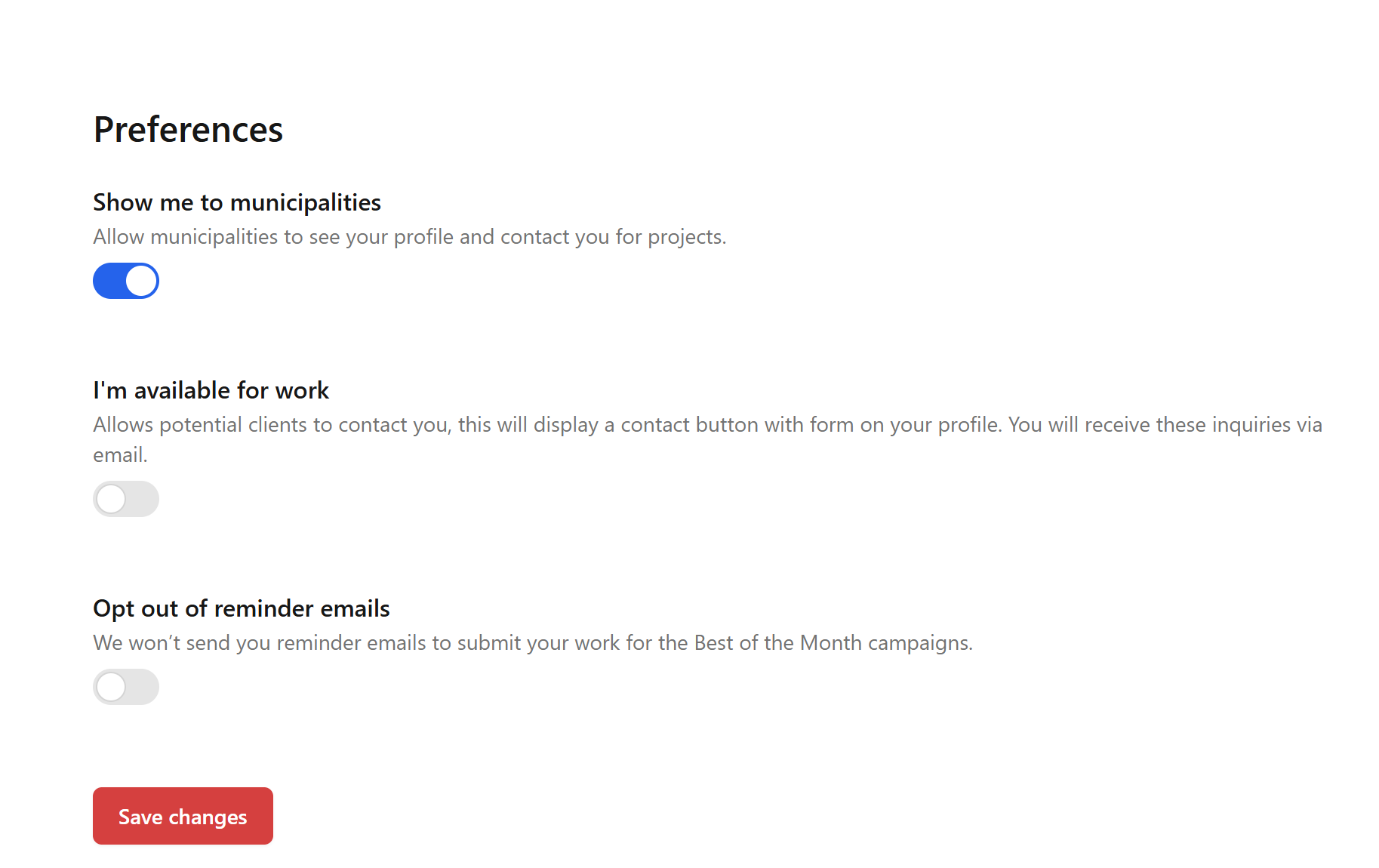
 Control your visibility to municipalities
Look at this like the Yellow Pages to connect with artists. This new setting is available for verified artists.
If you don’t want your profile to appear to municipalities in the upcoming Cities Insights Dashboard, you can now opt out.
Just head to your Preferences page to toggle this on or off.
 I’m available for work
Enable this if you want potential clients to reach out.
Turning it on adds a contact button to your profile, allowing people to send inquiries through a form. Messages land directly in your email inbox.
Perfect for artists open to commissions, collaborations, or freelance opportunities.
 Opt out of reminder emails
If you’d rather not receive monthly reminders to submit work for the Best of the Month campaigns, you can disable these emails anytime.
You’ll still be able to participate whenever you want, just without the automated nudges.
 Remember to save your changes
After adjusting your settings, make sure to hit Save changes so everything is applied correctly.